Joomla 6: When Does an Upgrade Make Sense — and When Does It Not?
When Joomla 6 was released on October 14, 2025, expectations were not that it would introduce a revolutionary user interface or a wide range of new features. Rather, version 6 was expected to consolidate the modernization efforts of recent years, particularly those initiated with version 4.
Joomla 6 is therefore a release focused on performance, security, and technical quality. Below, we take a closer look at what the new version includes — and whether upgrading your current Joomla solution makes sense.
Joomla 6 vs. Previous Versions – What Has Actually Changed?
To determine whether an upgrade makes sense, it is important to understand what truly differentiates Joomla 6 from earlier versions. The changes are not primarily cosmetic; they relate to technical improvements, architecture, and operational implications.
Below, we review the key areas where version 6 differs — and what this means in practice for your website.
A Cleaner and More Modern Technical Foundation
Joomla 6 is built on newer PHP standards and therefore requires a modern server environment. In practice, this means your hosting provider must support an updated PHP version (minimum PHP 8.3).
PHP is the programming language that powers your Joomla website. With each new PHP release, improvements are introduced in speed, security, and stability. With a newer PHP version, you benefit from:
- Faster request processing
- More efficient memory management
- Stricter type safety
- Improved security
Newer PHP versions can handle more concurrent users with fewer server resources. This can result in faster response times, better stability under high traffic, and a more responsive user experience.
If your hosting environment is still running an older PHP version, it may limit both performance and security — and ultimately impact conversions and search engine visibility. Ensuring that your hosting setup meets Joomla 6’s technical requirements is therefore essential.
Automatic Core Updates
One of the most notable changes in Joomla 6 is support for automatic core updates.
In this respect, Joomla moves closer to the model known from WordPress, where automatic updates can be enabled to ensure that security patches are installed continuously.
The advantages of automatic updates include:
- Faster closure of security vulnerabilities
- Reduced risk of outdated installations
- More websites staying up to date
From experience, we know that updates and upgrades are often deprioritized in busy organizations. Joomla's official Usage Statistics indicate that a significant proportion of Joomla sites still run versions that have reached End of Life (EOL) and therefore no longer receive security updates.
This means many Joomla sites today operate without active security maintenance — a substantial risk, especially for businesses handling customer data or relying on high operational stability.
Automatic updates can therefore help raise the overall security level.
However, there are also potential drawbacks:
- Updates may cause compatibility issues with third-party extensions
- Changes can occur without manual quality assurance
- Complex setups may require centralized update control
Automatic updates should therefore be activated thoughtfully and form part of an overall maintenance strategy — not replace structured technical maintenance.
Improved Versioning and Editorial Control
Joomla has long been strong in access control. In version 6, the versioning system has been expanded so that it no longer stores only changes to article text, but also to structural elements such as:
• Custom fields
• Tags
• Categories
In previous versions, you could typically roll back the text itself if an editor made a mistake. However, changes to a price field, product specification, article tags, or category placement were not necessarily included in the same version history. This meant you could only partially restore the content — not the full setup.
With Joomla 6, the article is stored as a complete entity. If an error occurs, both the content and its associated structure can be restored. This provides more precise tracking and greater confidence in daily editorial work.
For organizations with multiple editors or complex content structures, this means better traceability, reduced risk of unintended changes, and greater control during corrections. It is particularly relevant where content has legal, contractual, or commercial significance.
Performance Improvements in the Codebase
Joomla 6 includes several technical optimizations in the core codebase that collectively strengthen performance and stability. Improvements include more efficient handling and caching of language files, cleanup of legacy code, and a more streamlined way of loading system components.
When code becomes more efficient and less complex, server load is reduced with each page request. This allows the server to respond faster and use resources more effectively — especially during high traffic or concurrent usage.
In practice, this can result in faster time to first byte (TTFB), shorter overall load times, and more stable operation during peak usage. For users, this translates into a more responsive website. For the business, it provides a platform better equipped to handle growth.
These are not visible feature changes, but technical enhancements that strengthen the foundation of your website.
Benefits of Upgrading to Joomla 6
Upgrading to Joomla 6 is not just about running the latest version. It is about reinforcing the technical foundation of your website and improving performance, stability, and visibility.
Below are the key benefits typically associated with an upgrade.
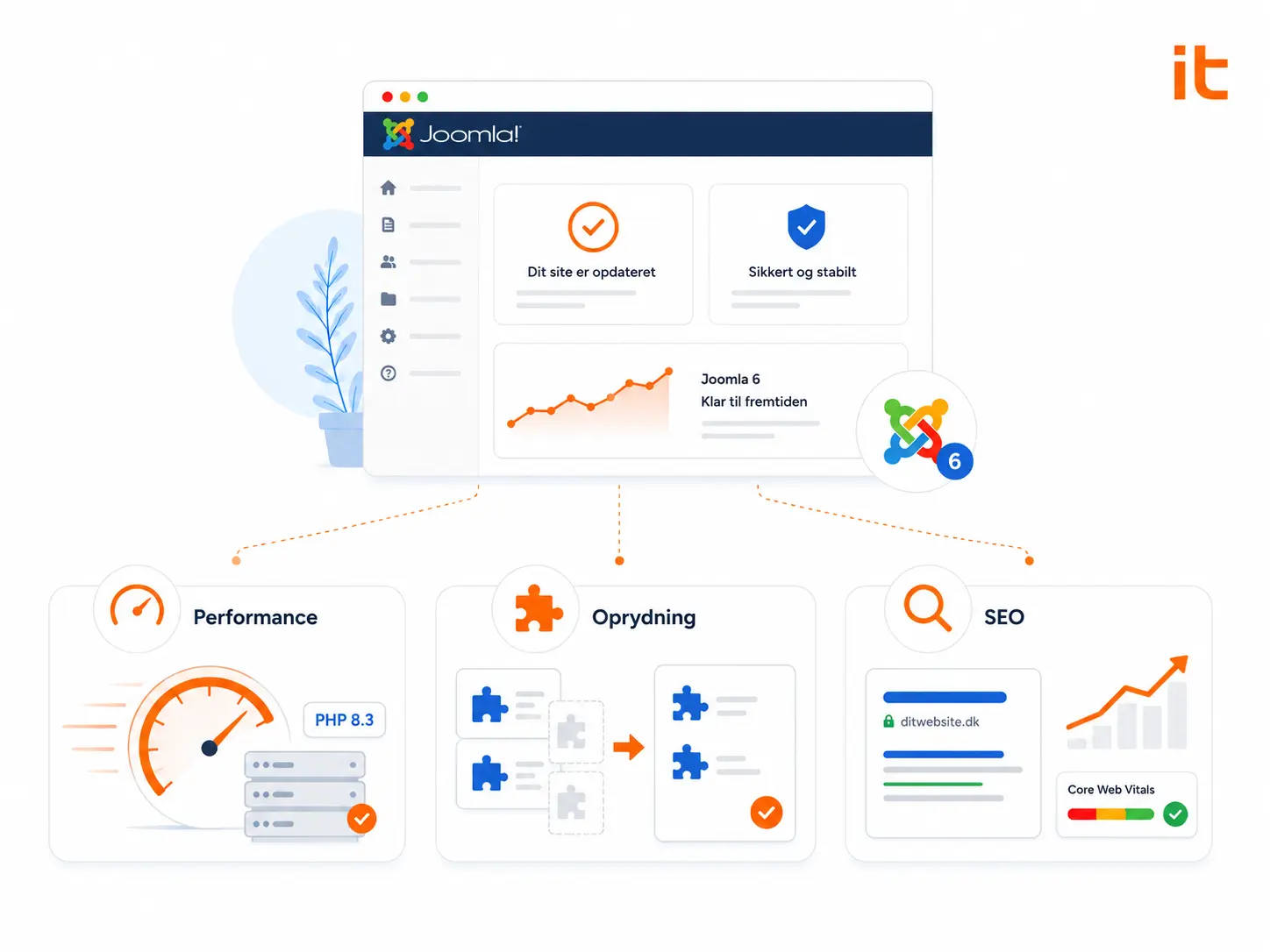
Stronger Performance and Technical Foundation
Because Joomla 6 builds on newer PHP standards and a streamlined codebase, it enables faster request handling, better resource utilization, and increased stability under load.
Users may experience:
- Faster page load times
- More responsive navigation
- Fewer bottlenecks during high traffic
For your organization, this means a platform better suited to support growth without performance becoming a limiting factor.
While the improvement may not be dramatic on day one, it establishes a more robust technical base for future development.
Cleaning Up Extensions and Templates
In many cases, performance issues stem not from the Joomla core itself, but from layers added over time.
We often encounter installations with:
- Multiple extensions solving the same task
- Outdated plugins without active support
- Templates containing unused customizations
- Modules still loading scripts despite no longer being in use
An upgrade to Joomla 6 provides an ideal opportunity to review the entire setup: Which components are truly necessary? Are there duplicates? Can functionality be implemented more efficiently today?
In practice, this cleanup — combined with the technical upgrade — often delivers the most noticeable performance improvements and reduces technical debt.
A Better Technical Foundation for SEO
Performance and technical quality directly influence search engine visibility. Google evaluates user experience through Core Web Vitals, measuring load time, interactivity, and visual stability.
A slow or unstable website can negatively impact rankings, particularly in competitive industries. Load speed also affects user behavior. Long load times can increase bounce rates and reduce conversions, even when traffic volume is strong.
Upgrading to Joomla 6 does not automatically improve SEO. However, it establishes a stronger technical foundation — making it easier to work strategically with content, structure, internal linking, and conversion optimization.
What Are the Risks of Not Upgrading?
Staying on a familiar version may feel safe if everything appears to work. But technology, threat landscapes, hosting environments, and performance standards continue to evolve.
Remaining on an outdated Joomla version can involve several risks.
Security Risk
Once a Joomla version reaches End of Life, it no longer receives security updates. Known vulnerabilities remain unpatched.
Hackers actively scan for these installations because they know they are not being maintained. A security breach can have serious consequences – not only technically, but also for the business. It can lead to data loss, downtime and, in the worst case, the compromise of customer data.
Additionally, a compromised website can affect your credibility and in some cases lead to search engine warnings, which can damage your visibility and brand.
Hosting Compatibility
Hosting providers continuously update server environments, including PHP versions and security configurations. If your Joomla installation does not support newer technologies, your website may stop functioning optimally — or at all.
This can mean that you are forced into a hasty upgrade without the necessary planning and testing. When an upgrade is done under time pressure, the risk of errors, downtime and unforeseen costs increases..
Growing Technical Debt
The longer an upgrade is postponed, the larger the gap between your current version and the latest release.
This may lead to:
- Extensions becoming incompatible
- Vendors stop supporting older versions
- Customizations requiring redevelopment
What could have been a manageable upgrade may evolve into a larger migration project. At the same time, the technical debt becomes greater and the flexibility becomes less.
Ultimately, it is not only about software versions — but about how robust and future-proof your digital foundation is.
Preparing for a Joomla 6 Upgrade
An upgrade to Joomla 6 does not have to happen immediately — but it should be part of your roadmap.
The greatest risk often lies not in delaying an upgrade, but in failing to prepare. When an upgrade becomes urgent, there may no longer be time for careful planning.

Gain Overview and Plan Ahead
Preparation starts with reviewing your current setup. Which extensions are installed? Are they actively supported? Are they compatible with Joomla 6? Is there custom functionality that needs adjustment?
It may also be beneficial to combine the upgrade with redesign or technical optimization initiatives. Aligning projects can create efficiencies and ensure consistency between technology and design.
Planning early reduces the likelihood of being forced into a rushed upgrade if your current Joomla or PHP version reaches End of Life. When upgrades are done under time pressure, the risk of errors and unnecessary costs increases.
Joomla 4 and 5 Have Simplified Major Version Upgrades
One significant improvement in recent years is that Joomla 4 and 5 have made major version upgrades more streamlined. If you are already running version 4 or 5, upgrading to version 6 is typically manageable — provided your installation has been properly maintained.
If you are still running Joomla 3, however, the process is more complex. You must first migrate to version 4, then 5, and finally 6 — or undertake a full migration. The longer this is postponed, the more extensive the task may become.
How We Ensure a Safe Joomla Upgrade
At itpilot, we have many years of experience working with Joomla and have helped numerous businesses develop, optimize, and upgrade their Joomla websites.
When handling Joomla 6 upgrades, we begin with a comprehensive review of your current installation. We assess compatibility between Joomla versions and extensions, custom functionality, hosting environment, PHP version, and the overall technical setup.
The upgrade itself is carried out in our development environment, ensuring your existing website continues running without disruption. We then thoroughly test and quality-assure the solution before launch.
If you are considering whether Joomla 6 is the right next step, we are happy to evaluate your current setup. Call us at +45 87 25 07 87 or complete the contact form, and we will discuss your options for a secure upgrade..
